12% at 3:42 PM · One quiet heads-up · Charger found by 3:44

Low battery notification — before the dot goes dark, not after.

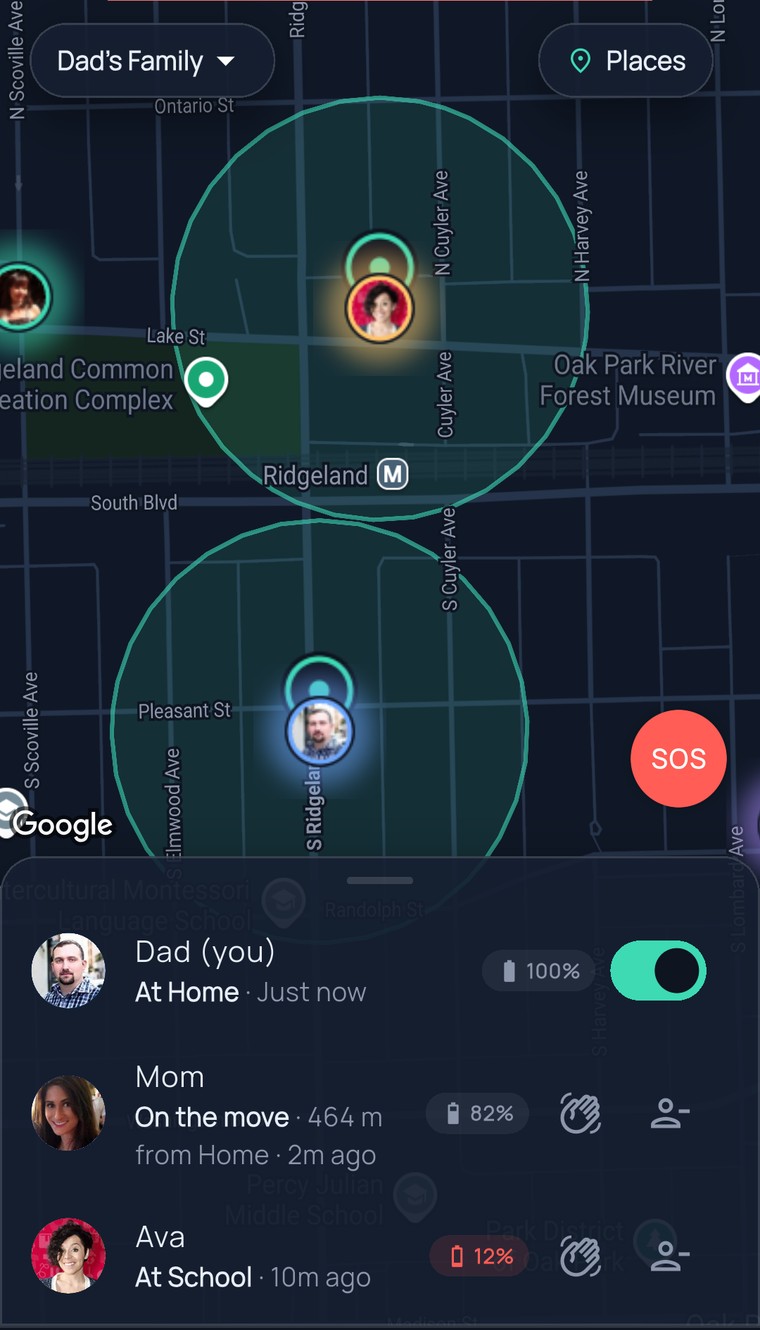
Ava’s phone slips under 15% and Dad gets one quiet heads-up: Ava’s battery is low. One “charger’s in your bag” text later, her dot is still glowing at dinner — and nobody spent the afternoon wondering.

Pay nothing today·Cancel in one tap

App Store·Google Play·or any browser
9:41
The FamilySeen family map in Oak Park — Dad, Mom, Ava and Grandma’s photos, with battery pills in the list below and Ava’s at 12% in red
Tuesday, 3:42 PM

Ava’s phone hit 12%. Dad knew before it died.

No dark dot at five. No “why isn’t she showing up?” No calling a phone that’s already off. One quiet buzz, one text, and the afternoon just goes on.

The alert didn’t do anything dramatic. It moved the worry to a moment when something could still be done about it.

  1. Ava’s at Ben’s after school, phone at 12% and falling. Dad’s phone — one quiet buzz:Ava’s battery is low · 12% · near N Lombard Ave · 3:42 PM

  2. Dad texts: “charger’s in the front pocket of your bag.” Ava: “found it 🙏”. That’s the whole conversation.Two texts. Neither one was “where are you?”

  3. Ava’s dot rolls up to Home at 61%. It never went dark — so nobody had to wonder whether it was the phone or the kid.Glad you’re home.

How it works

Nothing to set up. It knows when to speak — and when to stop.

Every phone on the map shares its battery next to its name. When one drops under 15%, the whole circle gets one heads-up — then FamilySeen goes quiet again. No settings, no thresholds to pick, no nagging.

Battery sits next to every name

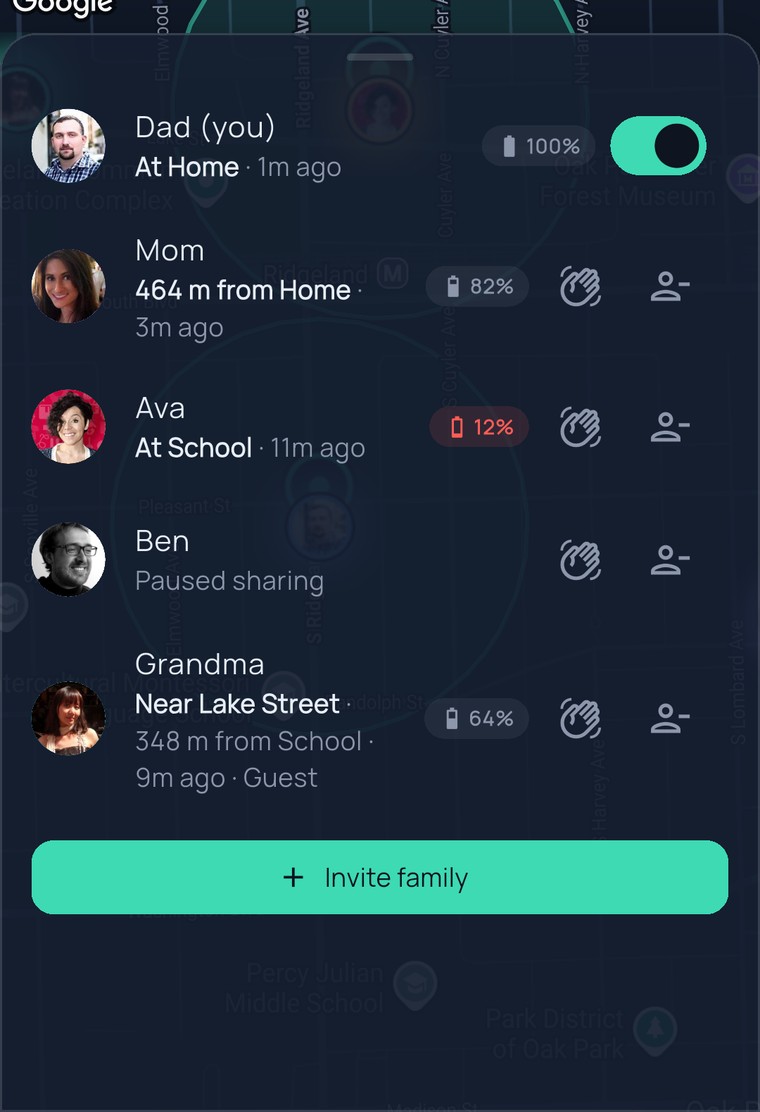
Open the map and it’s already there — Dad 100%, Mom 82%, Ava 12%. No tapping into profiles, no asking “how’s your battery?”

Under 15%, one quiet heads-up

The moment a phone slips below 15%, everyone in the circle hears “Ava’s battery is low.” One notification, not a countdown.

Then it leaves you alone

No second, third, fourth alert while she finds a charger. One heads-up, then hours of quiet — until it actually matters again.

9:41
FamilySeen map with the family list open — battery next to every name: Dad 100%, Mom 82%, Ava 12% in red, Grandma 64%, Ben paused
Why a battery alert is really a peace-of-mind alert

It’s the phone, not the kid. Now you know which.

A dark dot stops meaning the worst

When a dot goes quiet, your mind goes somewhere bad. A low battery notification twenty minutes earlier turns “what happened?” into “oh — her phone died.”

A text you can actually send in time

“Charger’s in your bag” only helps at 12%, not at 0%. You hear about it while there’s still something to do — plug in, borrow a cable, call before it’s off.

If it does go quiet, you know where

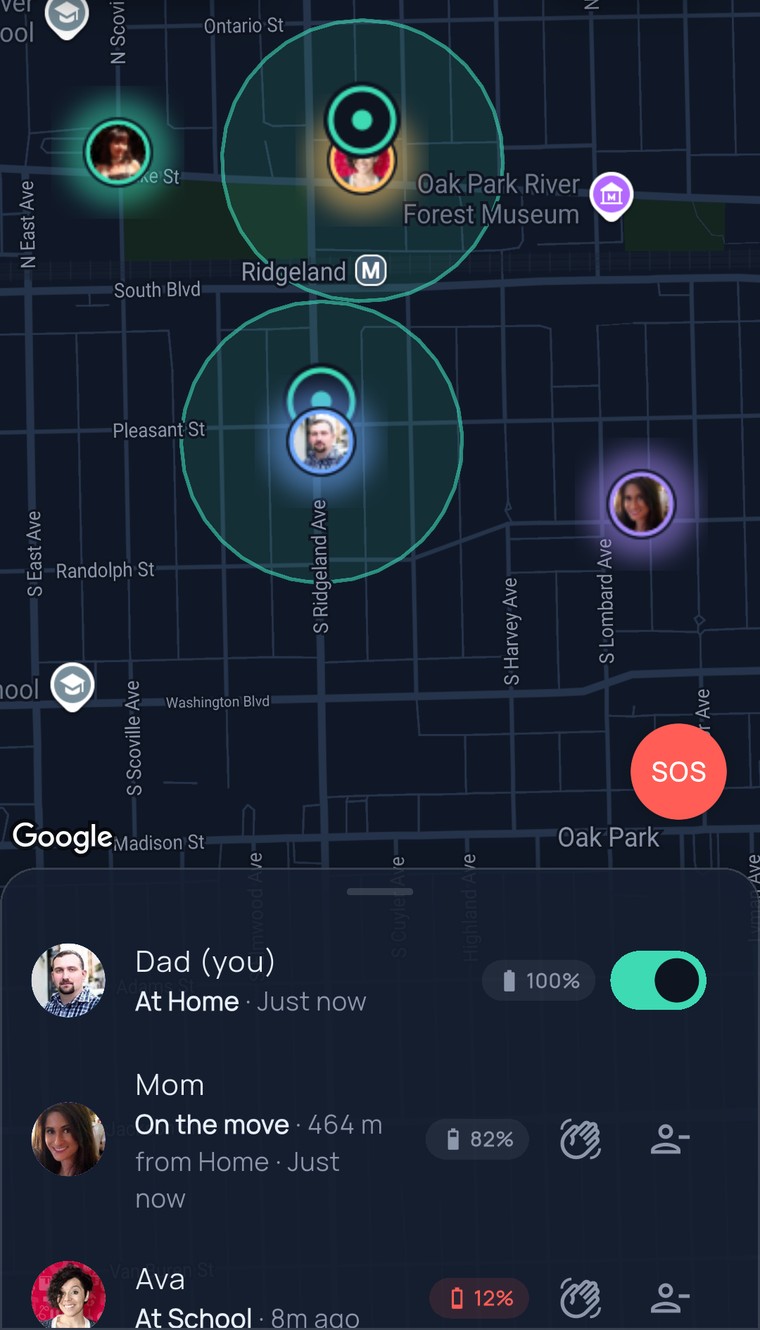
Phone dies anyway? Her dot stays at the last place it was seen, and the circle gets a quiet “Ava’s phone went quiet.” Not an alarm — a fact.

Grandma’s phone, too

Grandma forgets the charger more than anyone. “Grandma’s battery is low” at 11 AM is a much nicer reason to call than silence at 6 PM.

9:41
FamilySeen map focused on Ava’s photo inside the School circle on Lake Street — the last place her phone was seen
Free on every planLow battery alerts never sit behind a paywall — like SOS. Everyone on the map gets them, subscriber or not.
Under 15%The heads-up goes out when a phone drops below 15% — early enough to find a charger.
One alert, not a nagOne notification per low-battery moment, then quiet for hours. Nobody gets buzzed every minute.
Up to 10 people per circleEvery phone in the circle shares its battery, and every phone hears the heads-up.
Questions, answered straight

Low battery notification — what parents ask

Is this a low battery alert app, or part of the family map?
Part of the map — nothing extra to install. FamilySeen is a family location app first; the low battery notification is built into it. Every phone on your map shares its battery level next to its name, and when one falls under 15% the whole circle gets one quiet heads-up. Low battery alerts are free on every plan, like SOS.
Will I get an alert every time the battery drops a percent?
No. One notification when the phone crosses 15%, then FamilySeen stays quiet for hours — even if it keeps dropping. Nobody wants a phone buzzing “13%… 12%… 11%.” One heads-up is enough to say “plug in.”
What happens when the phone actually dies?
The dot stays at the last place it was seen, and after a while the circle gets “Ava’s phone went quiet” — a quiet alert, not a siren. Because the low battery notification came first, everyone already knows why. And a pause is always shown as “Paused” — we never blur a dead phone and a deliberate break.
Does it work on Grandma’s phone without her doing anything?
Yes. Once Grandma’s phone is on the map, her battery shows next to her name and the heads-up goes out on its own — no settings to find, nothing to tap. The only thing she has to do is what she already does: carry the phone.
When the dot goes quiet anyway
FamilySeen

Everyone home safe. Starting tonight.

Free for 7 days · Cancel anytime · SOS free forever

Start on any device — everything stays in sync