Ava sent an SOS · Dad’s already looking at the map

SOS app — three seconds to reach everyone you love.

Hold the red button for three seconds and everyone in your circle gets an alert with your last known location — on their phone, in a browser, even with their app closed. Free on every plan. It stays free.

One plan, up to 10 people·Cancel in one tap

App Store·Google Play·or any browser
9:41
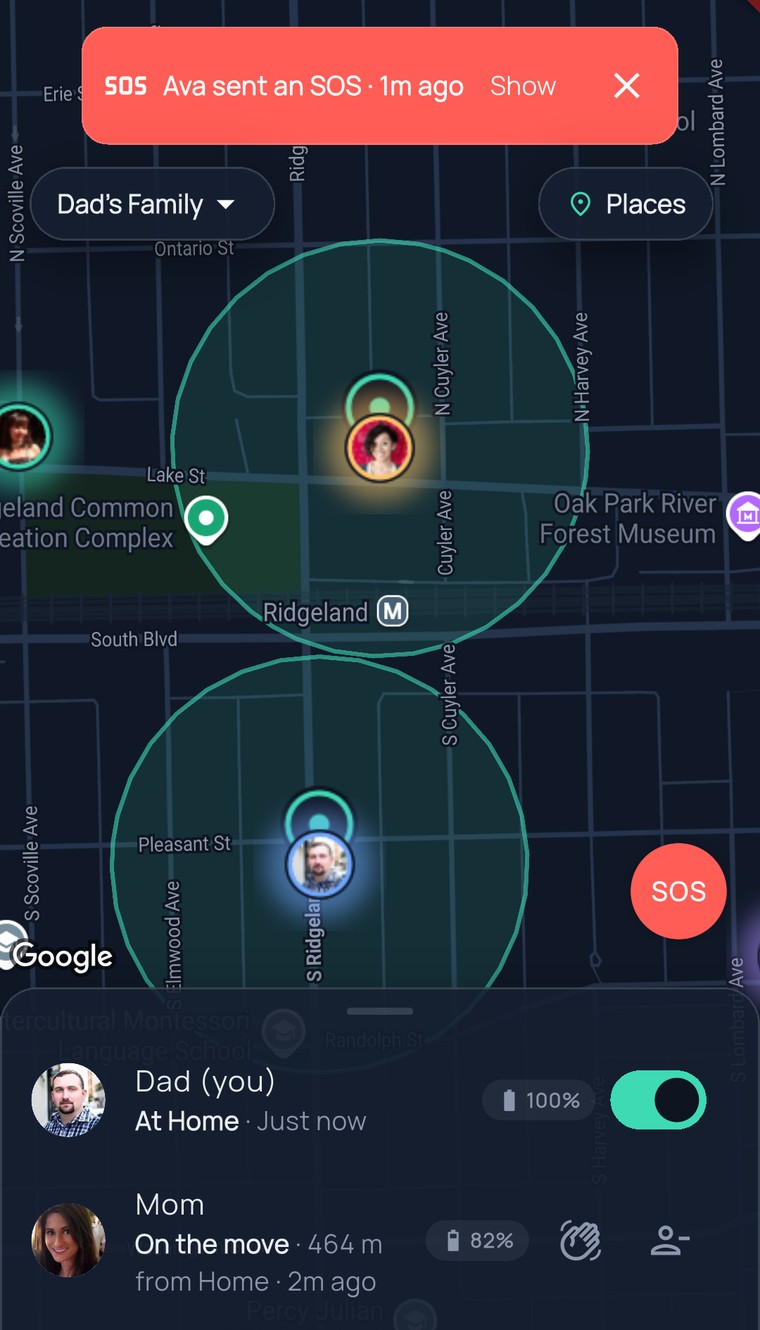
The FamilySeen live map of Oak Park with the red “Ava sent an SOS · Show” banner at the top, the family list and the SOS button
Saturday, 9:12 PM

Not a 911 night. A “come get me” night.

Ava’s ride home didn’t show. Unfamiliar street, 9% battery, not a situation for a long text. She holds the red button.

Most scary moments aren’t emergencies. They’re “come get me” moments — and those take three seconds now, not a ten-minute phone tree.

  1. Three seconds, the ring fills, and her phone says “Your circle has been alerted.” No typing. No “are you there?”Let go early and nothing is sent. Hold, and it goes once.

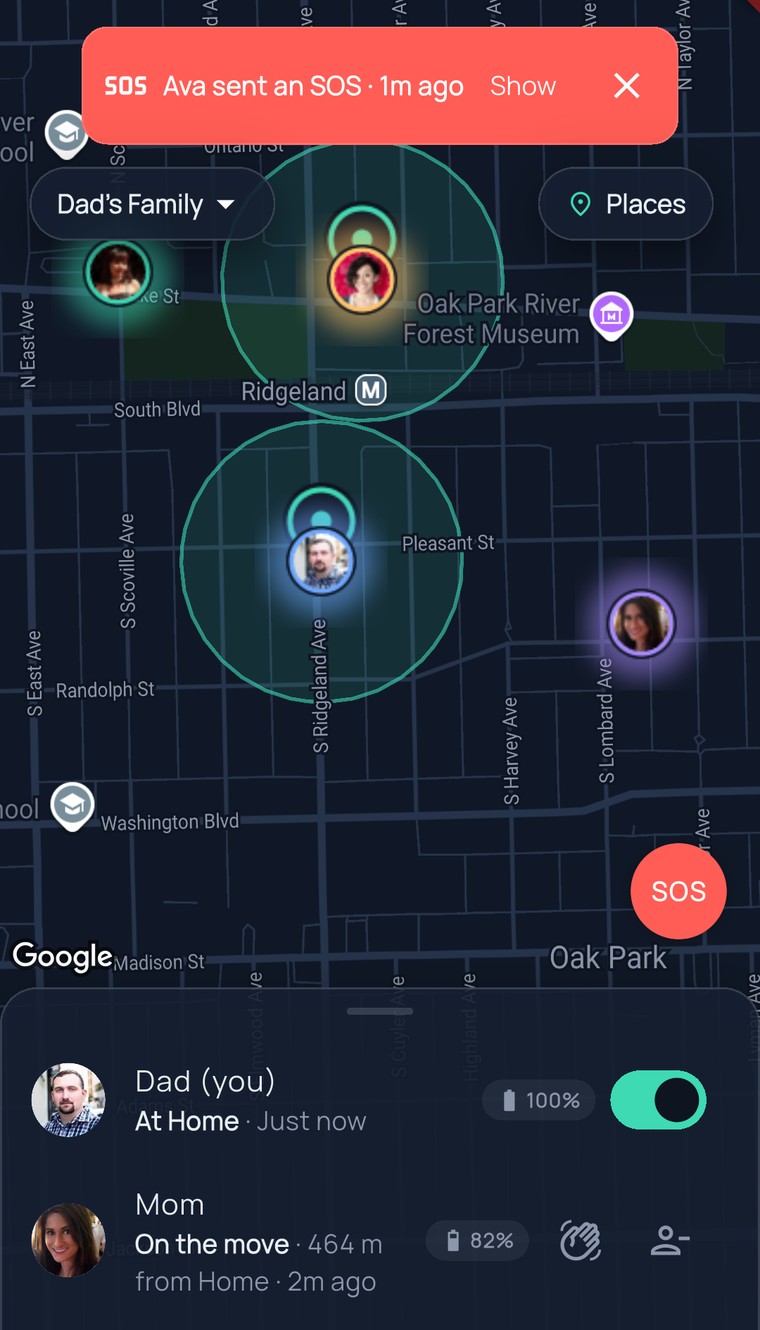
  2. Dad’s phone lights up: “Ava sent an SOS — Open the map to see where they are.” He taps Show; the map flies to her, near N Lombard Ave. He’s in the car before Mom finishes reading.Same alert, same second, for everyone in the circle. Even Grandma’s laptop.

  3. Dad pulls up. Ava taps I’m safe. One tap, and Mom and Grandma exhale at the same time.Check-in is its own button — nobody has to explain over text.

How it works

Hold three seconds. That’s it.

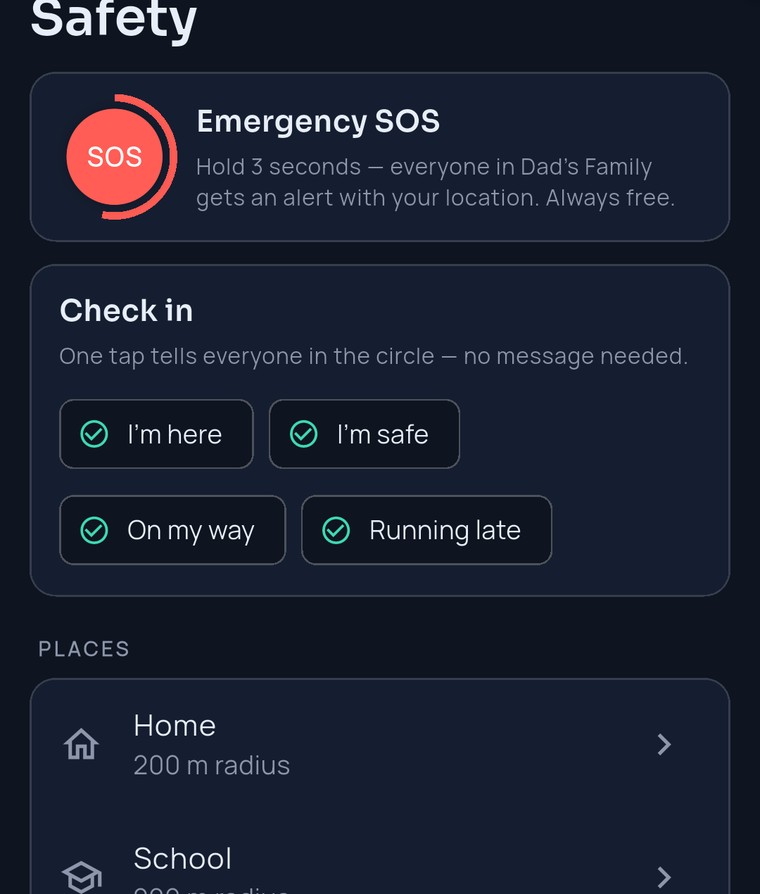
The button is always there — on the map, in Safety, even on a circle without Premium. Nobody has to hunt for it.

Press and hold

Hold the red SOS button for three seconds; a ring fills as you hold. Let go early and nothing is sent — a pocket bump never wakes the family.

Everyone gets it, right now

“Ava sent an SOS” lands on every phone in the circle with her last known location. It cuts through every place rule and quiet hour — an SOS doesn’t wait for Monday.

One tap to her

A red banner sits at the top of everyone’s map for ten minutes. Tap Show and the map flies to Ava. When it’s over, she taps I’m safe.

9:41
The FamilySeen Safety tab — the Emergency SOS card (“Hold 3 seconds — everyone in Dad’s Family gets an alert with your location. Always free.”) above the one-tap check-ins
What’s different about this SOS

Free. Everywhere. No fine print.

Free on every plan — even an expired one

The SOS button sits on top of the paywall. Subscription lapsed, card declined, never paid: SOS still sends and still arrives. A panic button behind a paywall isn’t one.

Arrives with the app closed

The alert goes out as a push, so Mom sees it with the app closed, on Android or in a browser. No waiting for a fresh GPS fix: it sends your last known spot instantly, then the live map takes over.

Hold, don’t tap

Three seconds, on purpose. Release early and nothing goes out. No confirm screens to fumble with shaking hands, either.

Honest about what it is

SOS alerts your family. It does not call emergency services. In a real emergency, dial your local number first — then hold SOS so the family knows where you are.

9:41
The FamilySeen map after tapping Show — the red SOS banner stays on top and the camera flies to Ava’s photo at School
SOS: free, alwaysEvery plan, every member — even a circle without Premium. No card needed.
Everyone in the circleThe same push, the same second, for every member — except you. You already know.
Cuts through every settingPlace rules and quiet hours don’t apply to SOS. Only a member’s own Notifications switch can silence it.
Not a 911 buttonFamilySeen alerts your family. For emergency services, dial your local number first.
Questions, answered straight

SOS app — what parents ask

Is this an emergency SOS app that calls 911?
No — and we say so out loud. Holding SOS alerts the people in your circle with your last known location; it does not contact emergency services. In a real emergency, call your local number first, then hold SOS so the family knows where you are. Think of it as the fastest “come get me” button a family location app can give you.
What if Ava’s battery dies right after?
The alert already carries her last known location, and her dot stays on the map where it was. And under 15%, the circle had already been told her battery was low — usually before a phone goes quiet.
Does the SOS button app work on a tablet or in a browser?
Yes. Sending works wherever FamilySeen is open — phone, tablet, laptop. Receiving works with the app closed on Android, and in your browser through push. Just keep Notifications on: that one switch is the only thing that can silence an SOS.
Can I cancel an SOS, or say I’m OK?
There’s no take-back — the three-second hold is the take-back. Once it’s out, the banner shows on everyone’s map for ten minutes and then fades on its own. To tell everyone you’re fine, tap I’m safe — a check-in, one tap, no typing.
Around SOS
FamilySeen

Everyone home safe. Starting tonight.

7-day money-back guarantee · Cancel anytime · SOS free forever

Start on any device — everything stays in sync