Type their number · They tap once · There they are

Find location by phone number — the moment they say yes.

Enter a phone number and we text the invite — in your words, from your phone. Ava taps it, types her name, turns on sharing, and she’s on the family map. No app to install, no account to create. Works on any phone she already has.

Pay nothing today·Cancel in one tap

App Store·Google Play·or any browser
9:41
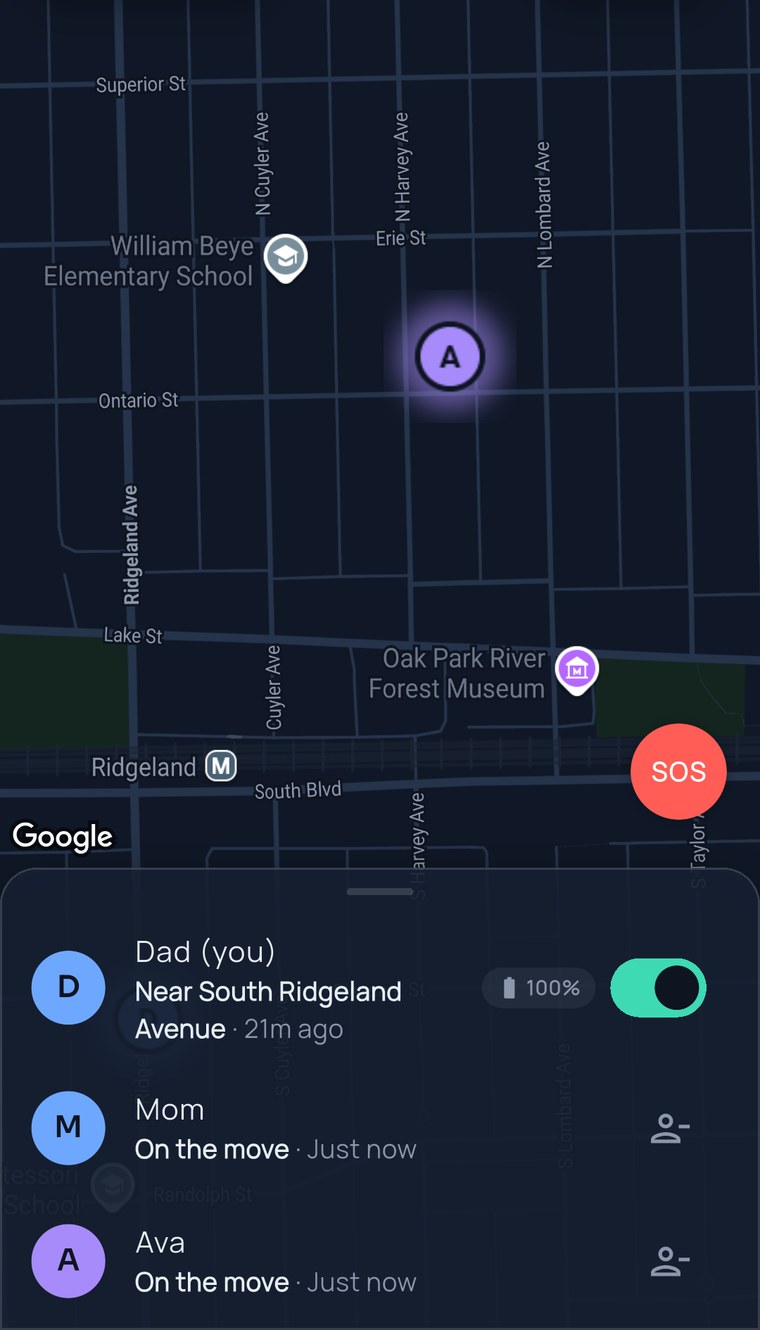
The FamilySeen map right after Ava joined from a text: her pin near William Beye Elementary, Dad and Mom in the list below
Sunday, 6:05 PM

Ava got her first phone. Dad got her on the map before dinner was on the table.

No app store. No “what’s the password?” No twenty-minute setup call. Just a text — the kind Ava answers.

Nobody installed anything. Nobody explained anything. That’s the whole trick.

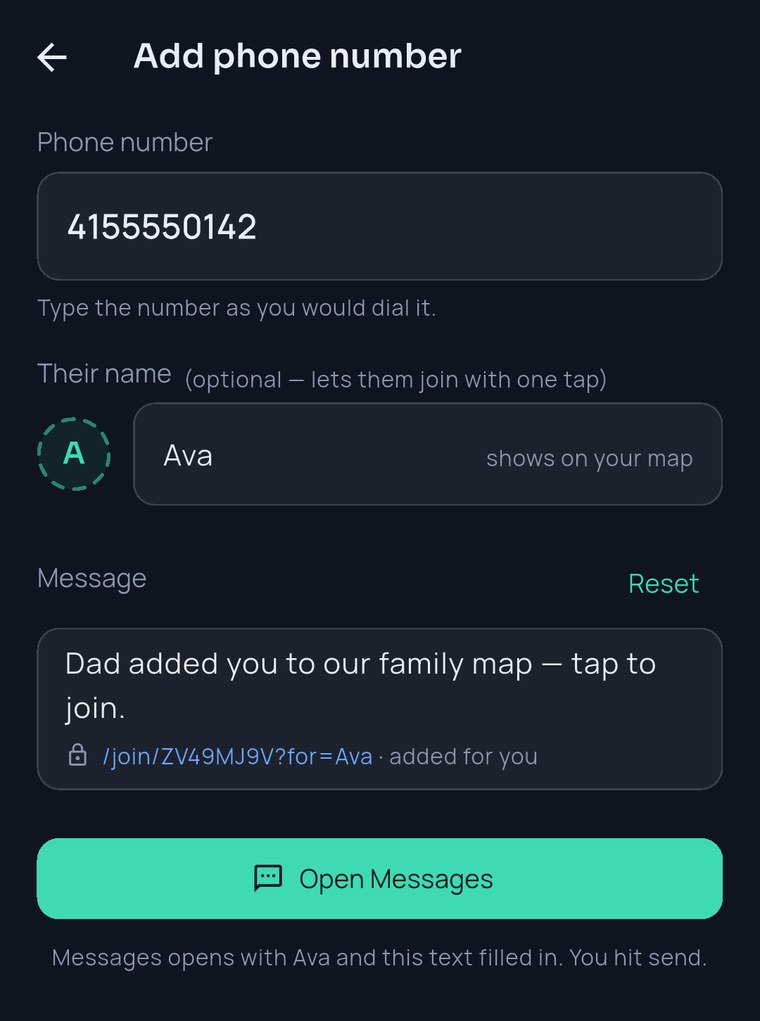
  1. Dad types Ava’s number and her name. Messages opens with the invite already written. He hits send.Dad added you to our family map — tap to join. familyseen.com/join/…

  2. Ava’s phone buzzes. She taps, types “Ava”, and flips Share my location on.Right in her browser — nothing downloaded.

  3. Dad’s map: Ava — near Oak Park High, on the move.Real face, real street. Home in ten.

How it works

Three taps on your side. One on theirs.

The invite is a normal text message from your phone and your number — so Ava sees Dad, not a stranger. It’s the simplest way to see location by phone number, and the only honest one: they tap yes, then they appear.

Add their number

Type it as you’d dial it. Add their name too — it lets them join with one tap, and it’s what shows on your map.

Send the text

Messages opens with the invite already written. Edit it or keep it — “Dad added you to our family map — tap to join.” — and hit send.

They tap yes

They open it in their browser, type their name, turn on sharing. They’re on the map. The app’s there later if they ever want it.

9:41
FamilySeen — Add phone number: 415 555 0142, name Ava, the invite text ready to send from Messages
Why it actually gets used

Built for the people who never make it past the app store.

Nothing to install, on any phone

The invite opens right in their browser — an old Android, an iPhone, a hand-me-down with no room left. Works on any device. The app is optional and stays in sync.

Or invite however’s easiest

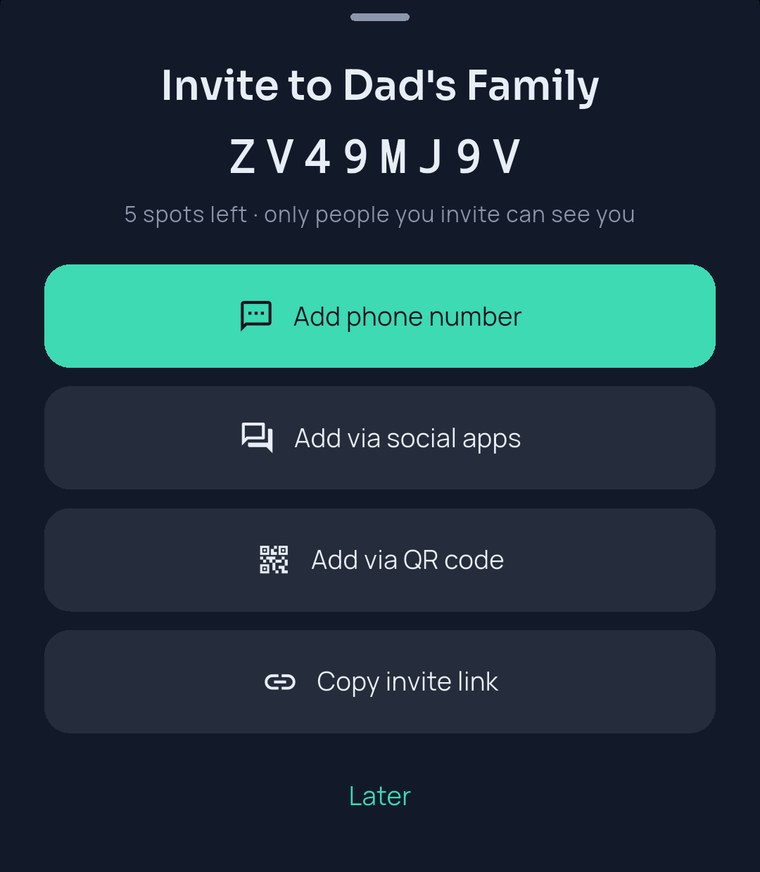
A number is the fastest. Prefer WhatsApp, a QR code at Sunday dinner, or a short code read out over the phone? All four open the same door.

Their location, their switch

A phone number gets someone invited — not found. Nothing shows until they turn sharing on, and they can pause anytime. That’s why teens actually say yes to a family location app.

Sent to the wrong number? Fixable.

Regenerate the invite code and the old text stops working instantly. You decide who’s on your map, always.

9:41
FamilySeen invite sheet — Add phone number, Add via social apps, Add via QR code, Copy invite link
On every planInviting by phone number works on the trial, on Free, and on Premium.
Up to 10 people per circleKids, parents, grandparents, the nanny — one map for all of them.
Only the owner paysEveryone you invite joins free. No “ask your teen to subscribe.”
SOS is free, foreverEvery person on the map gets it, whatever plan the owner is on.
Questions, answered straight

Find location by phone number — what parents ask

Can I find someone’s location by phone number without them knowing?
No — and no honest app can. A phone number lets us text them an invite; their location appears only after they tap it and turn sharing on. If you’ve searched for “type in phone number and find location free online”, the sites promising that are guessing from area codes or collecting your details. FamilySeen shows a real phone number location because a real person chose to share it — which is exactly why your family keeps using it.
What does the text message say?
Whatever you want. It starts as “Dad added you to our family map — tap to join,” and you can rewrite it before sending. It goes from your phone and your number, so it lands like any other text from you.
Do they need to install the app or make an account?
No. The invite opens in their browser; they type a name and they’re on the map. Nothing to install, no password. That’s the whole point of letting you find location by phone number — the people you invite need zero setup. If they later want the iPhone or Android app, everything stays in sync.
What if they don’t have a phone that gets texts — Grandma’s tablet, a laptop?
The phone-number invite is a text message, so it needs a phone with SMS. For a tablet or laptop, show the QR code or share the invite link instead — same map, same one-tap join, same “just type your name.”
Once they’re on the map
FamilySeen

Everyone home safe. Starting tonight.

Free for 7 days · Cancel anytime · SOS free forever

Start on any device — everything stays in sync