Made it? One tap · Everyone knows · Zero texts

Family check-in app — one tap says “I’m OK.”

Ava gets to the party and taps I’m safe. Dad and Mom each get one quiet heads-up — where she is and when — and nobody had to text “you there?” Four taps cover a whole day: I’m here, I’m safe, On my way, Running late.

Pay nothing today·Cancel in one tap

App Store·Google Play·or any browser
9:41
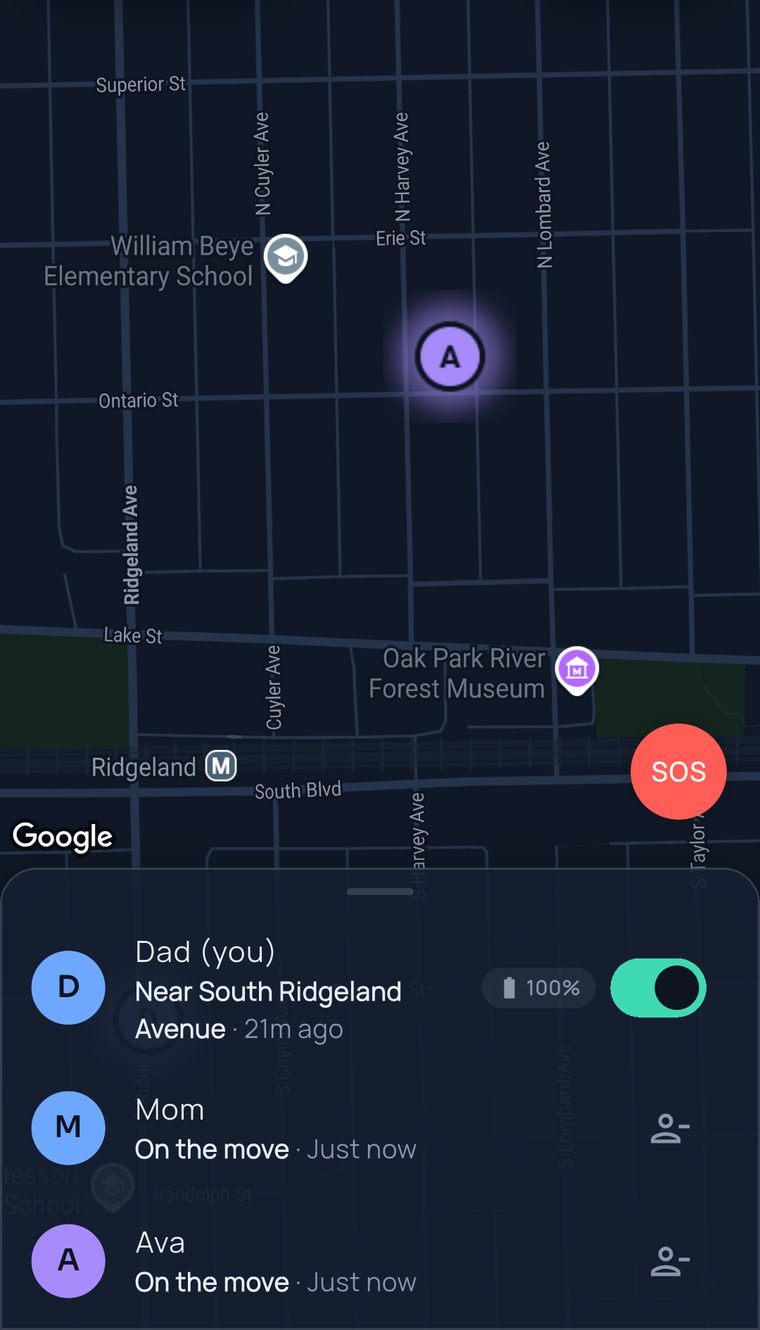
The FamilySeen map the moment Ava checks in: her pin near Oak Park, Dad and Mom in the list below
Friday, 9:14 PM

Ava made it to the party. Dad found out without asking.

No “did you get there?” No three dots that never turn into a reply. One tap from her, one quiet buzz for everyone at home.

She checked in because it took less effort than ignoring him. That’s the whole trick.

  1. Dad drops Ava at Ben’s. He opens Messages, types “text me when—” and deletes it. She’s sixteen. She knows.He puts the phone face-down.

  2. Inside, Ava opens FamilySeen and taps I’m safe. Done. Nothing to write, nothing to explain.Two seconds, one tap, back to her friends.

  3. Dad’s phone and Mom’s phone — one quiet buzz each:Ava checked in — I’m safe · near N Lombard Ave · 9:14 PM

How it works

Four words. One tap. That’s the whole feature.

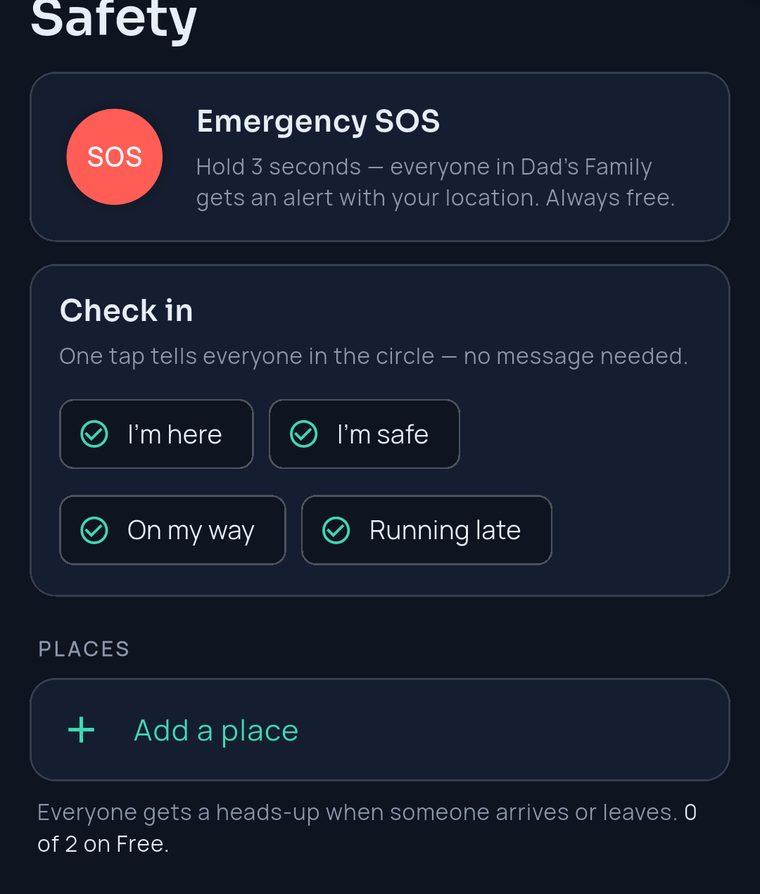
Check-in lives on the Safety tab, right under SOS. Tap whichever is true right now and everyone in your circle hears it — with the time and where you are. It never touches your sharing settings.

Open Safety, tap one

I’m here · I’m safe · On my way · Running late. Pick the one that’s true. No typing, no choosing who to tell.

Everyone gets one quiet heads-up

A single notification to the whole circle — who, what, when, and where. Not a group chat; nobody has to reply.

The day just goes on

“On my way” at 5:40. “Running late” at 6:10. “I’m here” at 6:25. Three taps, zero “where are you?” calls.

9:41
FamilySeen Safety tab — Emergency SOS, then Check in with four taps: I’m here, I’m safe, On my way, Running late
Why families keep using it

Easier than a text. Warmer than a dot on a map.

A tap is faster than ignoring you

Teens don’t answer “you there?” — they do tap a button that ends the conversation. Two seconds, then back to their friends. That’s why check-ins still happen in week six.

Says more than a dot ever could

A dot at Ben’s house says she’s there. “I’m safe” says she’s fine — and that she thought of you. The map is the where; a check-in is the “I’m OK.”

A morning hello from Grandma

Grandma taps I’m here with her coffee, every day. No tap by nine? Now you know it’s worth a call. No reminders, no forms, no fuss.

Sharing stays exactly as it was

A check-in never switches location on or off — it just tells your circle what you tapped. Your tap, your words, nothing else changes.

9:41
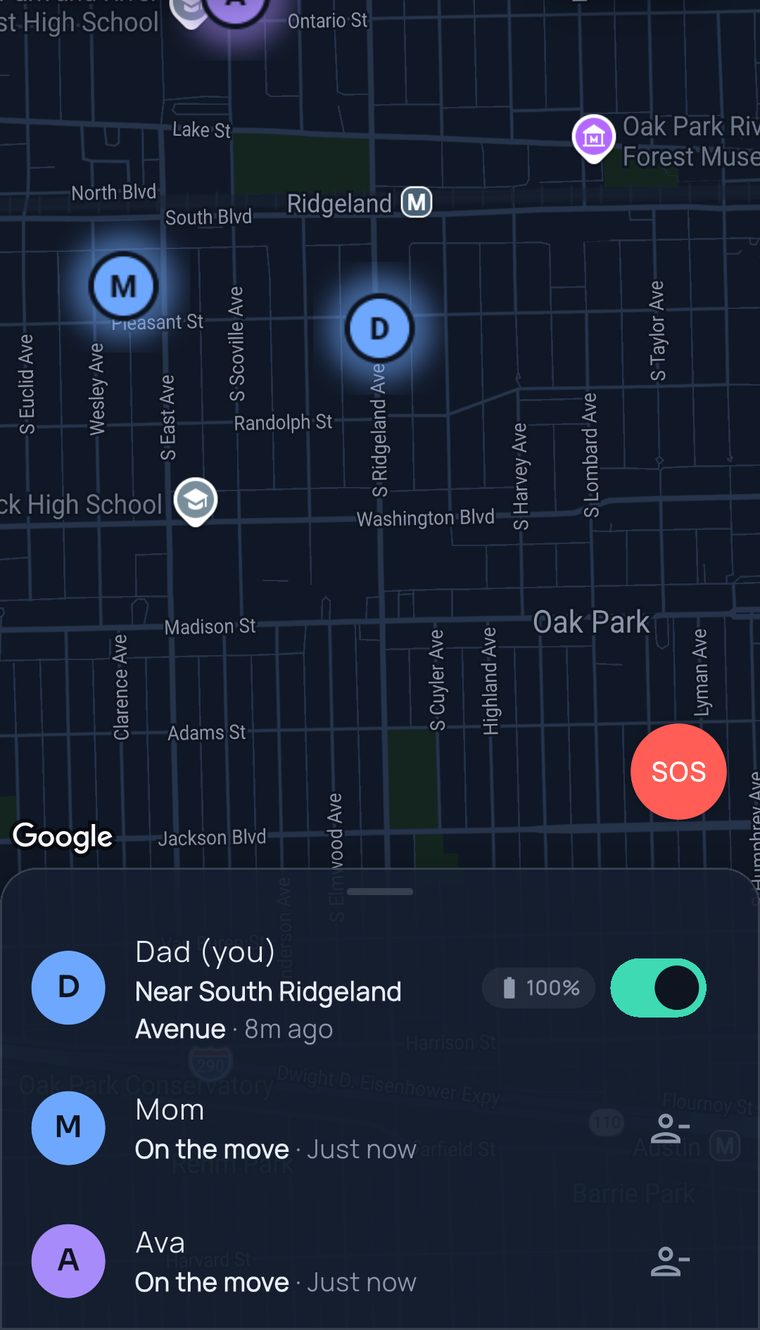
The whole circle on one FamilySeen map — Dad and Mom’s pins in Oak Park, Dad, Mom and Ava in the list below
Everyone in the circleEvery person on your map can check in and hears every check-in — kids, parents, grandparents, the nanny.
Up to 10 people per circleOne tap reaches all of them. Nobody gets left off the list.
Only the owner paysEveryone you invite checks in free. No “ask your teen to subscribe.”
SOS is free, foreverCheck-in is the everyday “I’m OK.” SOS is the emergency — hold once, everyone’s alerted. Always free.
Questions, answered straight

Family check-in app — what parents ask

Is this a daily check-in app, or only for emergencies?
Both — and mostly the everyday kind. Most families use it as a daily check-in app: “I’m here” when Grandma’s up, “I’m safe” when Ava lands somewhere, “Running late” when Dad is. For a real emergency, SOS sits on the same screen — hold it and everyone gets an alert with your location, free for every person on the map. A safety check-in app should make the calm days easy, not just the scary ones.
Does a check-in show where they are?
Yes. Everyone in the circle sees who tapped, what they tapped, the time, and where they were — on the same family location app they already use to see each other. A check-in never changes sharing settings — it doesn’t switch location on, and it doesn’t switch it off.
Will my teenager actually use it?
More often than they’ll answer a text. One tap ends the “did you make it?” conversation before it starts — a deal most teens take. Ava picks the tap and Ava picks the moment. Nobody can check in for her, and nobody can make her.
Who gets the notification?
Everyone in your circle — up to 10 people — and nobody else. It’s one notification, not a thread: no group chat opens, nobody has to reply. Want to tell just one person something? That’s what a normal text is for. Check-in is for the “everyone can stop wondering” moments.
When a tap isn’t enough
FamilySeen

Everyone home safe. Starting tonight.

Free for 7 days · Cancel anytime · SOS free forever

Start on any device — everything stays in sync