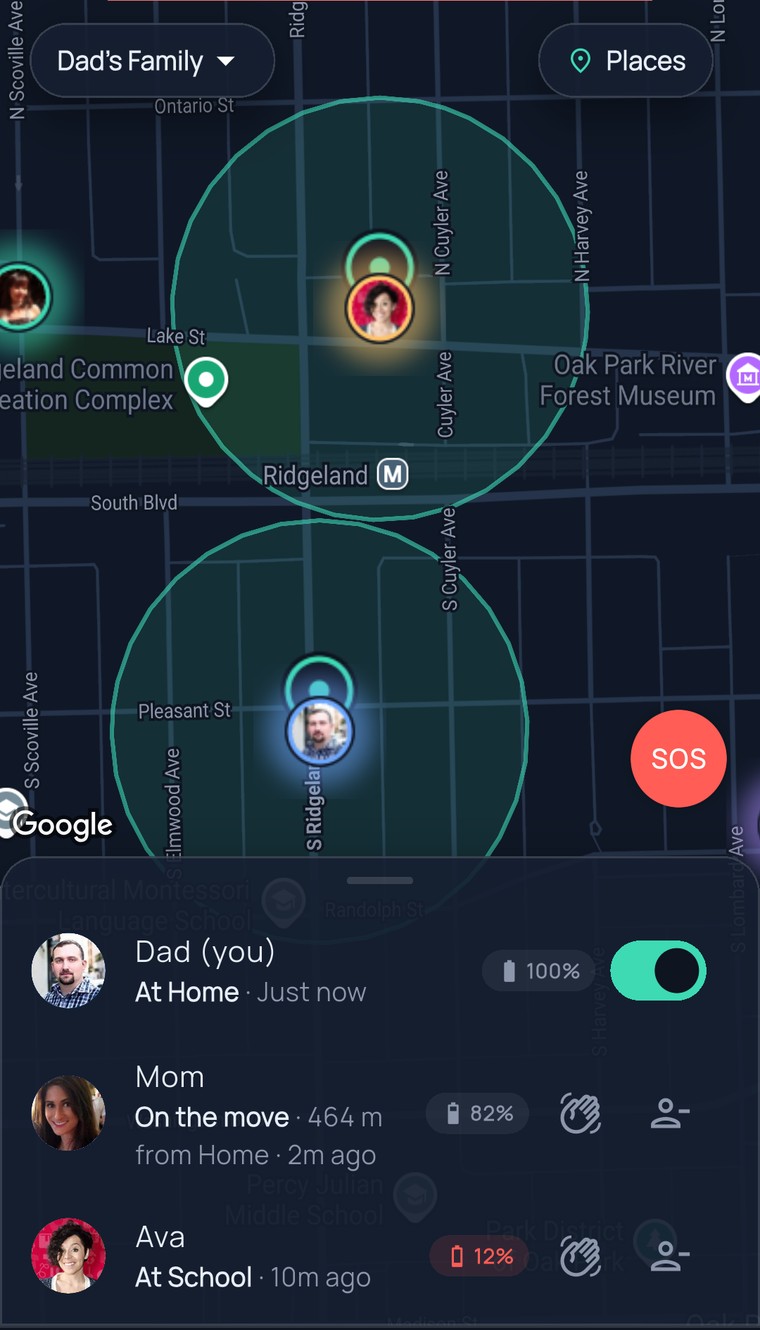
Mom on the move · Ava near school · Grandma home — one glance

Real-time location sharing — the whole family, one glowing map.

Open the map and there they are: Mom on the move, Ava near school, Grandma home — real street names, real time, and “Paused sharing” when someone takes a break. Nothing to refresh, nobody to text.

One plan, up to 10 people·Cancel in one tap

App Store·Google Play·or any browser
9:41
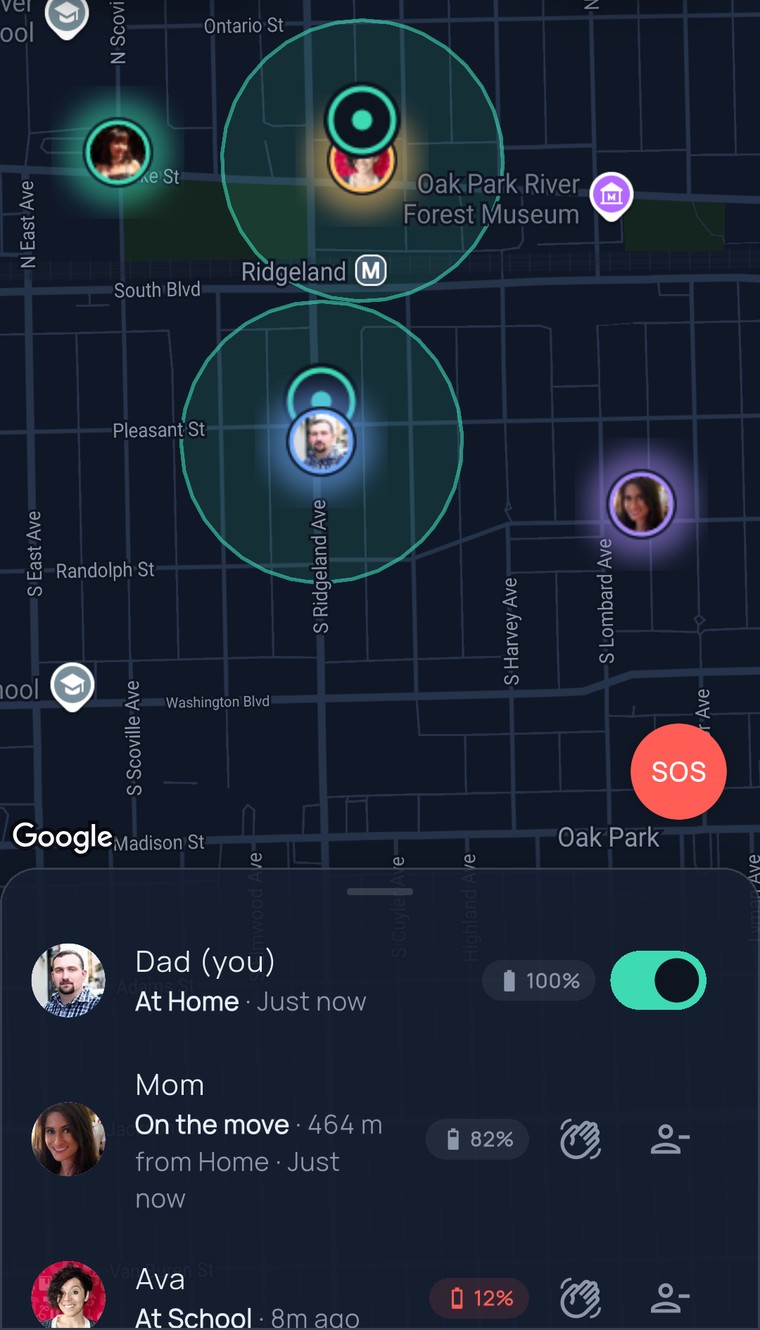
The FamilySeen live map of Oak Park — Dad, Mom, Ava and Grandma’s photos on the map, the Home and School circles, and the list below with places, street names and last update
Thursday, 5:38 PM

Three “where are you?” texts Dad didn’t send.

Everyone’s heading home at once. Old Dad would have texted all three. New Dad opens one map, sees three dots, and puts the pasta on.

Nobody reported in. Nobody was asked to. The map just told the truth.

  1. Dad opens FamilySeen. Mom — On the move · Just now. Ava — near William Beye Elementary · 3m ago. Grandma — Home · 12m ago.One glance. Three answers.

  2. He taps Ava’s name and the map flies to her. She’s walking, headed the right way. He puts the water on.No “ETA?” text. She’d have rolled her eyes anyway.

  3. Mom’s dot turns onto the street. Ava’s is two blocks behind. Dad’s phone stays in his pocket.“Glad you’re home” — said out loud, at the door.

How it works

Open the map. That’s the whole “how.”

Everyone who’s sharing shows up with their name, where they are and when they last moved. Their phone does the work; you just look.

Everyone on one map

Every person in your circle who’s sharing, with a real street name under their name — “Near South Ridgeland Avenue,” not a pin in the void.

Tap a name, fly to them

Tap Ava in the list and the map goes to her. Moving? It says “On the move.” Stopped for a while? You’ll see how long ago.

Honest when it’s off

Taking a break shows as “Paused sharing” — never a fake spot, never a guess. Sharing comes back only when they flip their own switch.

9:41
FamilySeen map after tapping Ava’s name — the map flies to her photo inside the School circle on Lake Street
What’s different about this map

Warm enough for Grandma. Fair enough for your teen.

Real places, not coordinates

The list reads like a person talking: “Near South Ridgeland Avenue · 8m ago.” Grandma understands it the first time.

Everyone sees the same map

Your circle is the list — up to 10 people — and it’s the same list for everyone. Ava sees Dad exactly as Dad sees Ava. No one-way mirrors.

A pause is a pause

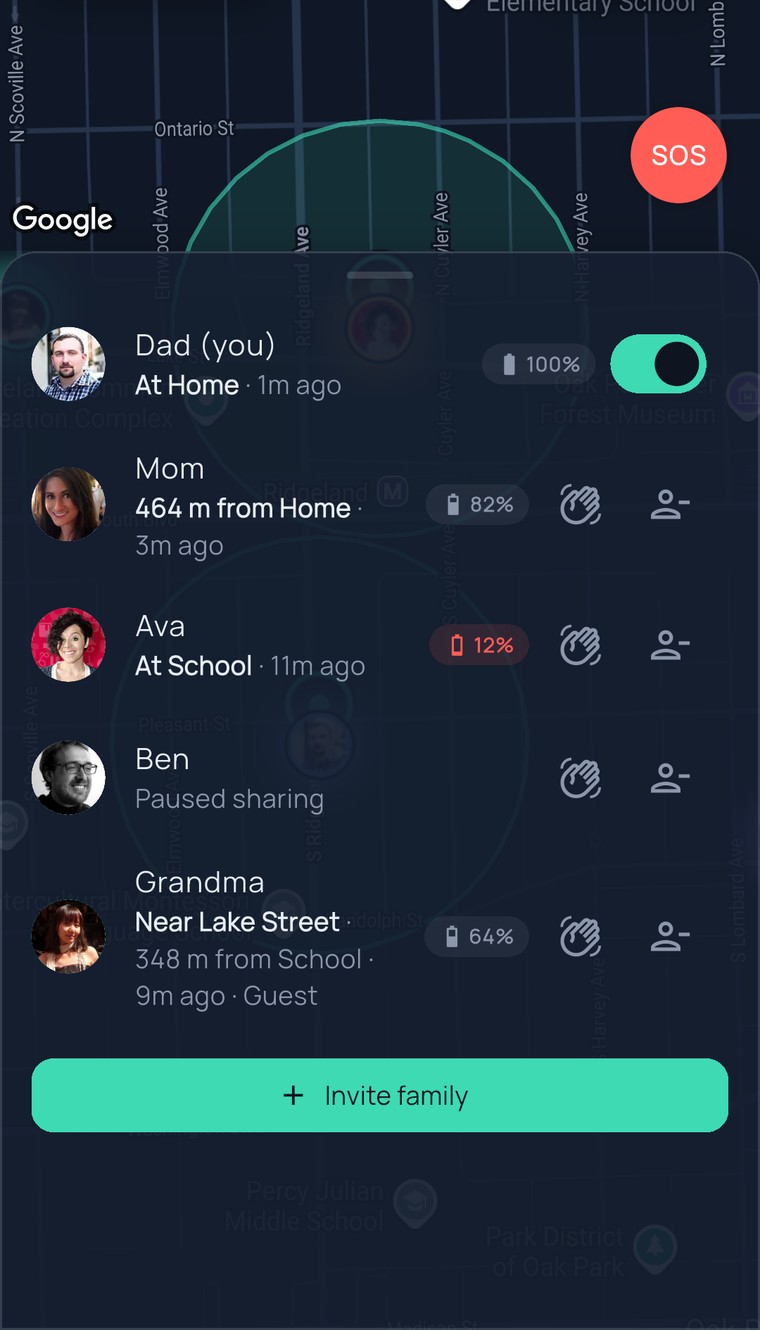
Ava turns sharing off for a study date; her dot leaves and the circle sees “Paused sharing.” We never blur a pause into a lost phone. Miss her? Send a ping — a hello, not a demand.

Battery, right there

Each phone shows its battery next to the name, and under 15% the circle gets a quiet heads-up. You know it’s the phone, not the kid.

9:41
The FamilySeen family list — Dad at Home, Mom 464 m from Home, Ava at School with 12% battery, Ben “Paused sharing”, Grandma near Lake Street, and the Invite family button
On every planThe live map is the heart of FamilySeen — everyone in your circle gets it, on any plan.
Up to 10 people per circleKids, parents, grandparents, the nanny — one map, up to 10 names.
Any phone, or a browserThe apps keep sharing in the background. In a browser, sharing runs while the tab is open.
You pay us, so nobody else doesLocation is never sold or shared with advertisers. Ever.
Questions, answered straight

Real-time location sharing — what parents ask

Is this live location sharing, or does it refresh now and then?
Live. FamilySeen is real-time location sharing: as Ava moves, her dot moves — with the street she’s near and how long since it changed. There’s no refresh button because there’s nothing to refresh. When a phone sits still, the map says so instead of pretending. The apps keep sharing in the background; in a browser, sharing runs while the tab is open.
How do I share location with family who won’t install anything?
Send them an invite by text and they open the map in any browser — type a name, turn on sharing, done. No app to install, no account to create. Anyone who wants the app can have it; everyone lands on the same family location app either way.
Can I see someone who paused sharing?
No — and that’s the point. Pausing means their location isn’t collected at all, so there’s nothing to show. You see an honest “Paused sharing” label, and a ping is the friendly way to say “thinking of you.” They come back when they flip their own switch.
Does everyone see everyone?
Yes. A circle is one shared map: every person sees the same list, the same dots, the same labels. Ava sees Dad exactly as Dad sees Ava. Nobody gets a secret view.
Around the map
FamilySeen

Everyone home safe. Starting tonight.

7-day money-back guarantee · Cancel anytime · SOS free forever

Start on any device — everything stays in sync