Home 07:00 → School 07:55 → Home 16:50 — Ava’s day, in one line

Location history app — yesterday’s route, when you actually need it.

Pick a person, pick a day: the route draws itself, with distance, trips and time at each place. Thirty days of it at most — then it clears itself, automatically, for everyone.

One plan, up to 10 people·Cancel in one tap

App Store·Google Play·or any browser
9:41
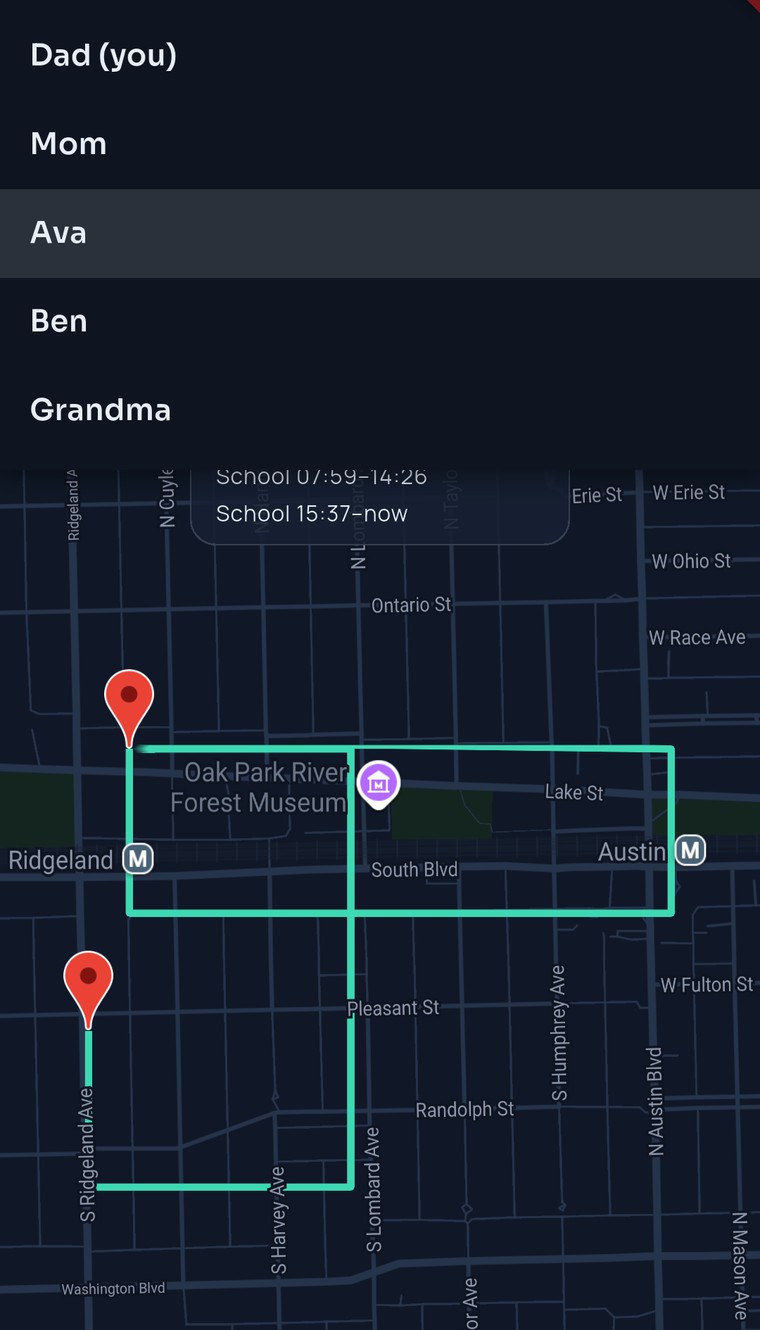
The FamilySeen location history screen — Ava selected, day chips for today and yesterday, and her route drawn on the Oak Park map
Tuesday, 7:40 PM

“Which café was that again?”

Ava’s jacket didn’t come home from school. She remembers a café, a friend, a milkshake — not a street. Dad opens her day instead of starting an argument.

History answered one question, then got out of the way. In thirty days this Tuesday is gone — which is fine. The jacket’s back.

  1. Dad opens Location history, taps Ava, taps Today. One line: 3.5 km · 3 trips · 06:58–19:38. Home 07:00–07:40 · School 07:55–16:30 · Home 16:50–now.Whose route, which day. That’s the whole interface.

  2. Between School 16:30 and Home 16:50, the route makes a little loop by Lake Street — the café next to the library. “Oh. Yeah. That one.”A start pin, an end pin, and the line between them.

  3. The café picks up. Jacket’s behind the counter. Dad puts his phone down; Ava puts the kettle on.No lecture, no “retrace your steps.” One glance and a phone call.

How it works

Pick a person. Pick a day. That’s it.

Anyone in your circle, any day still in the window. The route draws itself; the summary reads itself.

Whose route

Tap the name at the top — Dad, Mom, Ava. Everyone in the circle sees the same history: no parent view, no secret view.

Which day

Today, yesterday, or scroll the strip back through the month. Pick a day and the map frames the whole journey — start pin, end pin, the line between.

Read the day in one line

Dad’s Tuesday: “12.4 km · 3 trips · 06:58–21:10”, then time at each saved place — Home 07:00–07:40, Office 08:15–17:50, Home 18:20–now. Grandma reads it the first time.

9:41
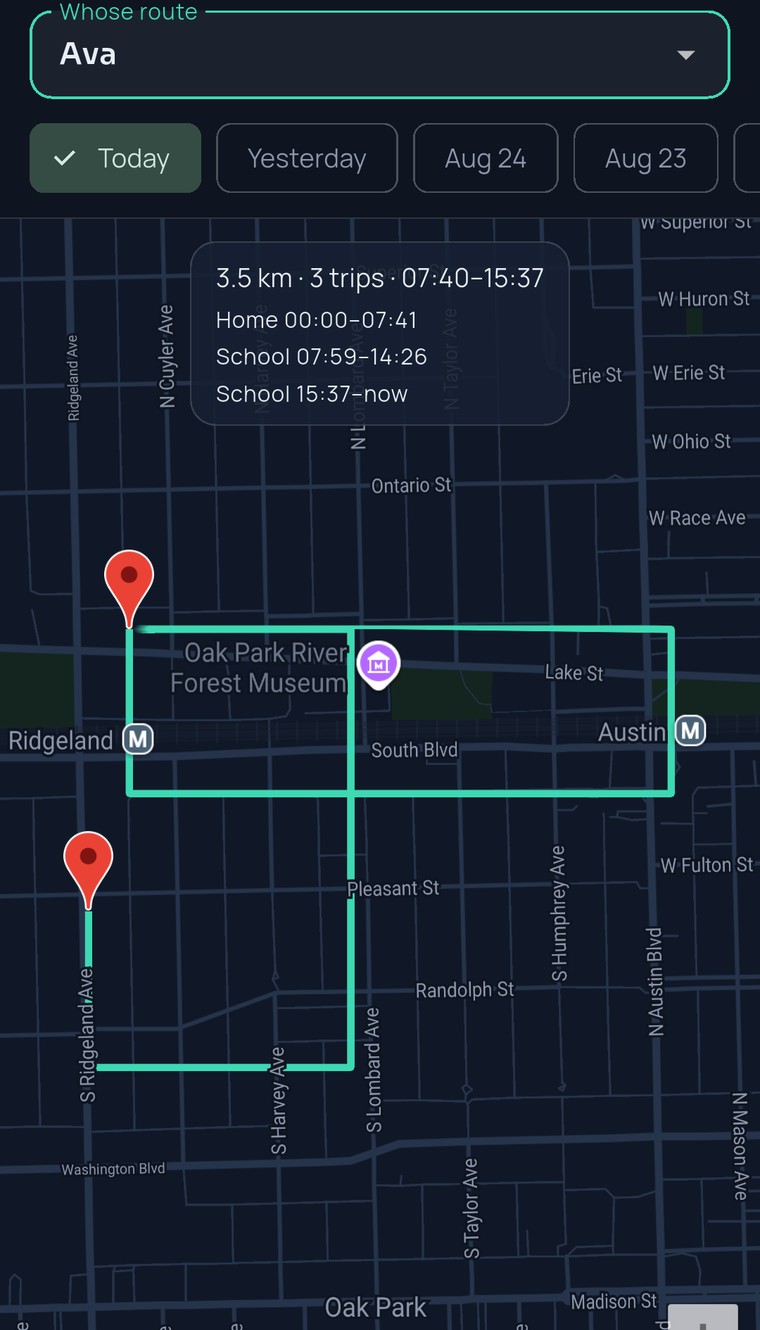
FamilySeen location history with the “Whose route” menu open — Dad (you), Mom, Ava, Ben and Grandma, with Ava’s route on the map behind
What’s different about this history

Helps, then disappears.

Thirty days, then gone — for everyone

Every location older than 30 days is deleted by the database itself, every night. Not a checkbox someone has to remember. Same promise on every plan, for every member.

A pause is private — backwards, too

Ava pauses sharing for a study date: nothing is recorded, and her earlier days stay hidden while she’s paused. The app says it in plain words: “Ava has sharing paused, so their route stays private — including past days.”

Answers, not an archive

Distance, trips, time at each place, a route with a start and an end. No export, no download, no report. Built to answer “which café?”, not to keep a record of anyone.

Nothing runs hidden

While anyone shares from the app, a notification always shows on their phone. Ava knows exactly when she’s on the map — and history only ever covers those times.

9:41
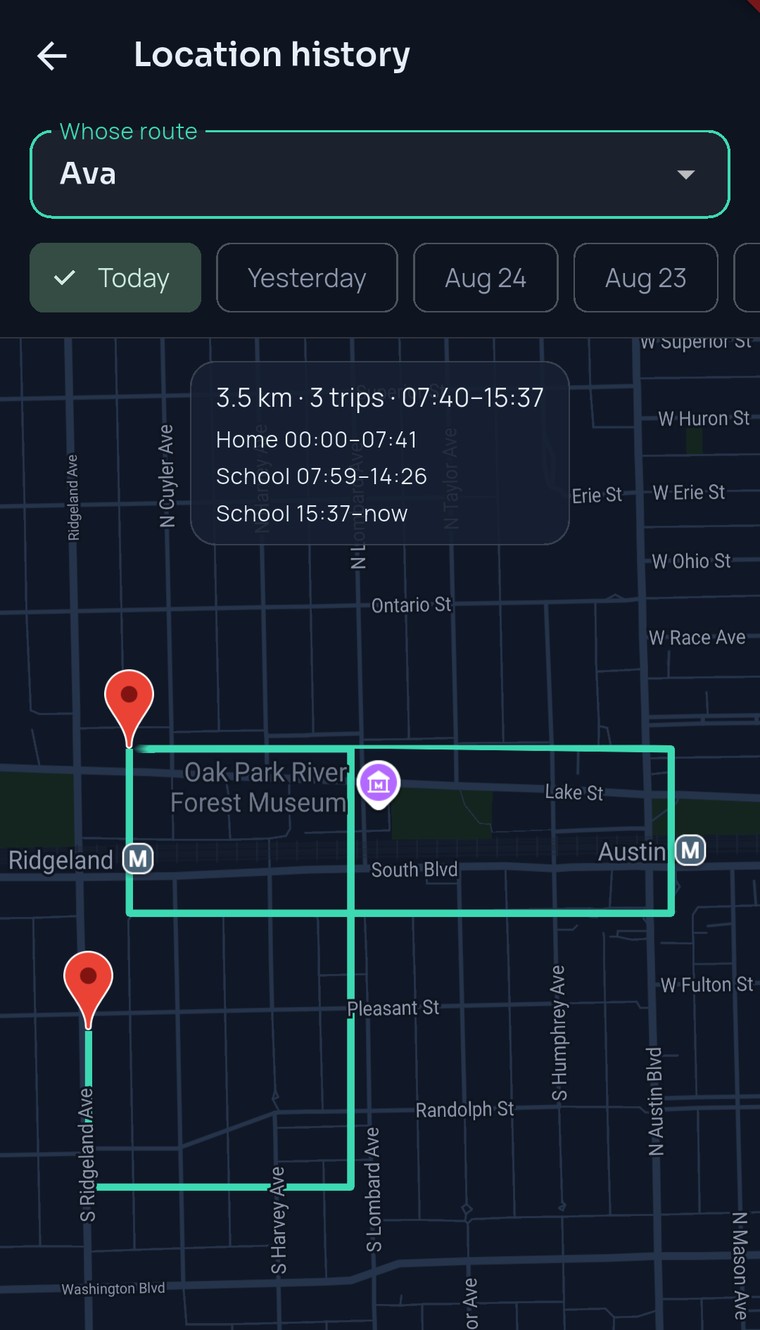
FamilySeen day summary — the “Whose route” picker, the day chips and the one-line summary of distance, trips and first–last update, with the route below
Free: the last 2 daysToday and yesterday, for everyone in the circle. Enough for “where did I leave it?”
Premium: the last 30 daysA month of routes and summaries for the whole circle. $9.99/mo or $79.99/yr — one person pays.
Gone after 30 days — every planOlder locations are deleted nightly at the database level. Nobody, including us, can look further back.
In a browser: while the tab is openThe apps keep sharing in the background. On the web, the route covers the time the tab was open.
Questions, answered straight

Location history app — what parents ask

How far back does family location history go?
Two days on Free, thirty on Premium — and thirty is the ceiling for everyone. Each night the database deletes anything older, so there’s never an old archive sitting around. A location history app should help you find the jacket, not keep a diary of your kid.
Who can see my history?
The same people who see your live map: your circle, while you share. Pause sharing and nothing is recorded — and your earlier days go private too, until you switch it back on. There’s no owner-only view: Ava sees Dad’s Tuesday exactly as Dad sees hers — one family location app, one history for everyone.
Is it a replay, like a video?
It’s a route line with a start pin and an end pin, plus the day in one line: distance, trips, first and last update, and time at each saved place. No animation, no scrubbing. You glance, you know.
Can I export or download the history?
No — on purpose. There’s no file, no report, no share button. History exists to answer an everyday question and then disappear. Delete your account and all of it goes with it.
Around the day
FamilySeen

Everyone home safe. Starting tonight.

7-day money-back guarantee · Cancel anytime · SOS free forever

Start on any device — everything stays in sync